
MLAutoReplace
Xcode plugin, Re-Intent, make you write code more quickly.
Use a portion code of VVDocumenter-Xcode.
Overview
You can use shortcut key Shift+Command+\ to auto re-indent all source of the current edit file.
You can custom other replacer with regex.
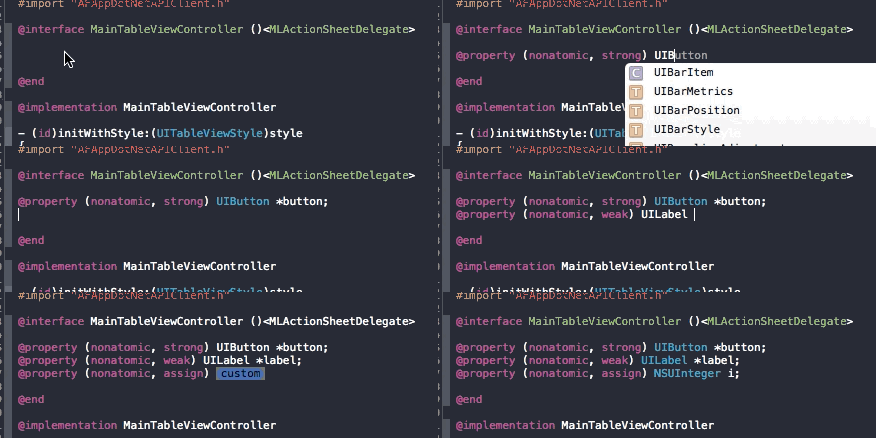
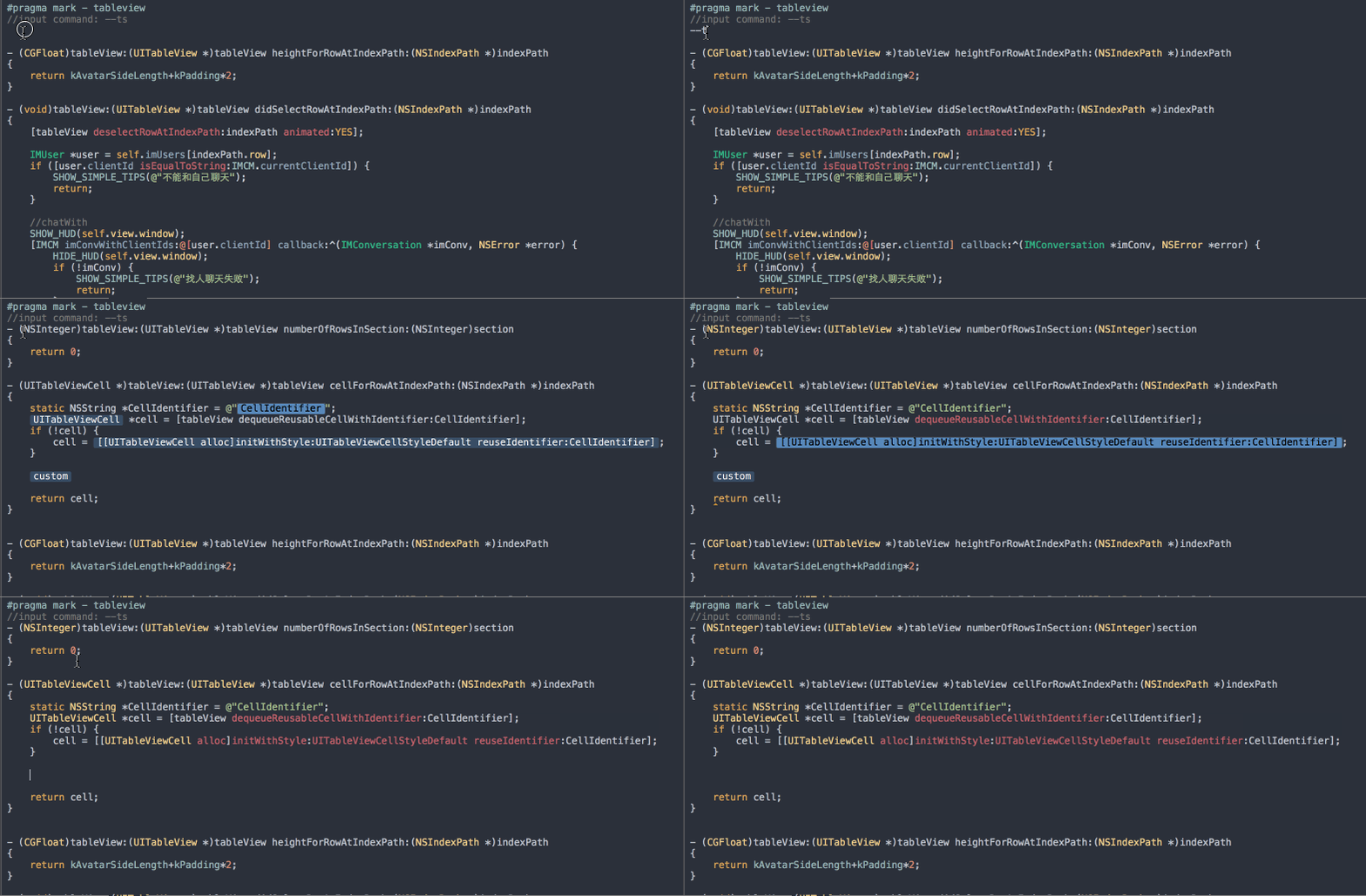
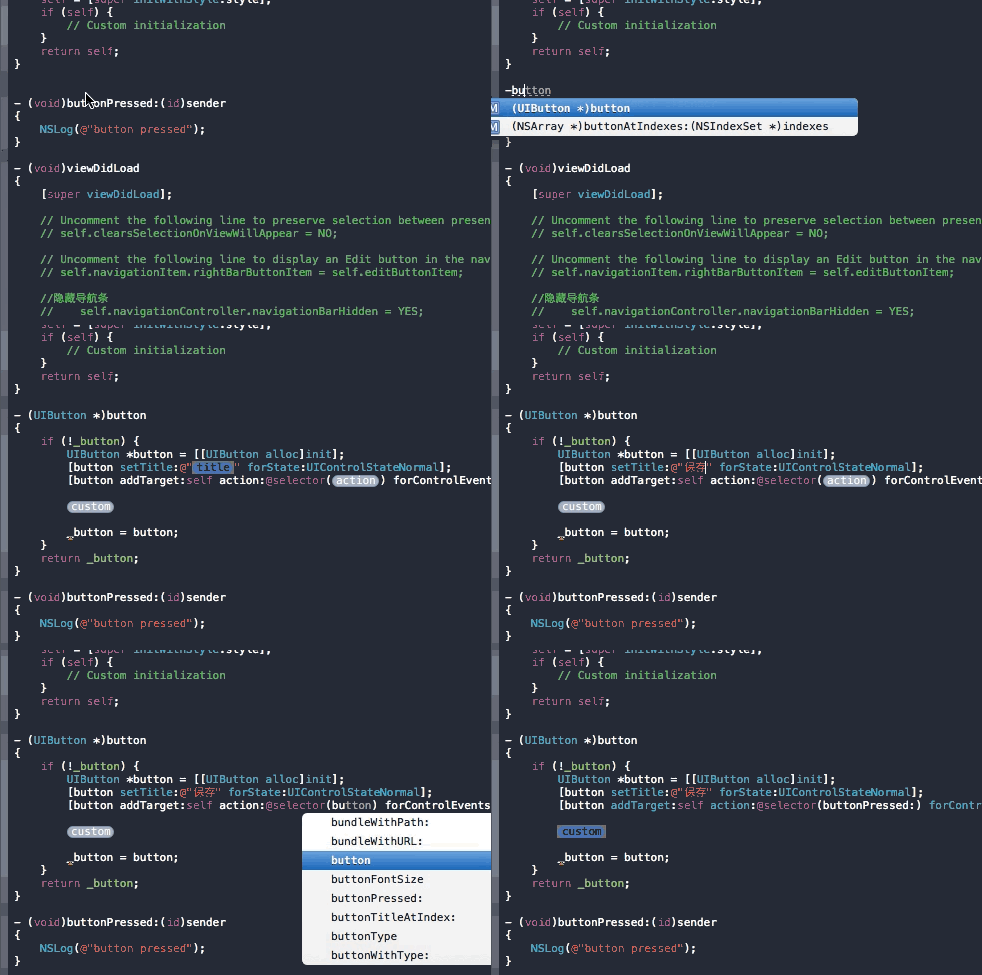
You can input common getter quickly.
How to install?
Download this project and run.
Regex replacer
Exmple:
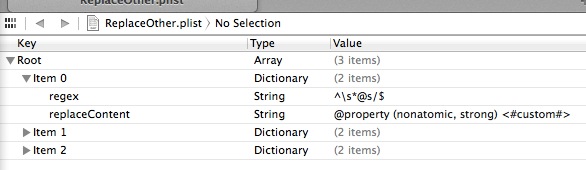
This item means that plugin will replace @s/ to @property (nonatomic, strong) <#custom#>.
The plugin will detect the content of current input line.
Some placeholders can be replace with context.
-
<datetime>: current datetime, you can use it to mark your edit time. -
<declare_class_below>: the class name of the first@interface XXX :below. -
<{0}>,<{1}>...: these placeholders will be replaced with its corresponding position of regex result.
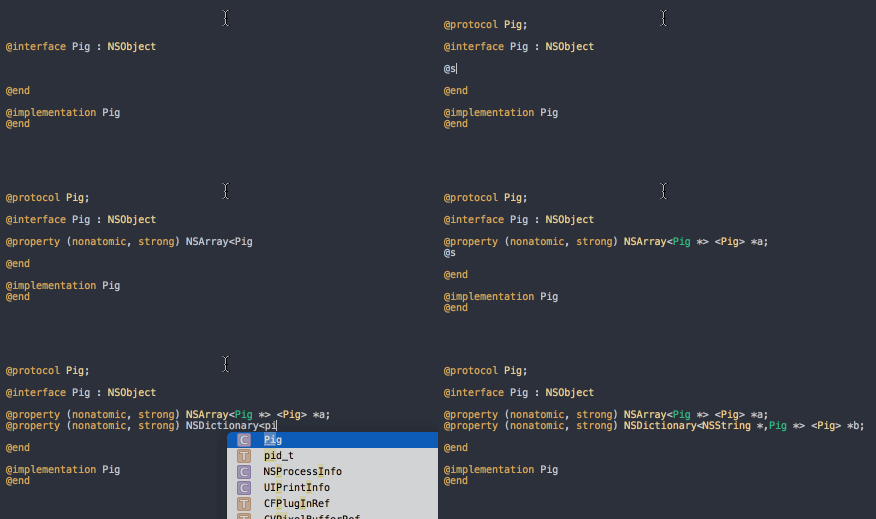
A demo for pseudo-generic(https://github.com/ibireme/YYModel/issues/79):
It uses two styles of placeholders:
<declare_class_below>:
regex: ^\s*@[Pp]{2}$
replaceContent: @protocol <declare_class_below>;
<{0}>,<{1}>(location placeholders):
regex: ^\s*@property\s*\(\s*nonatomic\s*(,\s*strong\s*|)\)\s*(NSArray|NSMutableArray|NSSet|NSMutableSet)\s*<\s*(\w+)\s*>$
replaceContent: @property (nonatomic<{0}>) <{1}><<{2}> *><<{2}>> *<#name#>

regex: ^\s*@property\s*\(\s*nonatomic\s*(,\s*strong\s*|)\)\s*(NSDictionary|NSMutableDictionary)\s*<\s*(\w+)\s*>$
replaceContent: @property (nonatomic<{0}>) <{1}><NSString *,<{2}> *><<{2}>> *<#name#>
Re-Indent
Just can be quickly re-intent.
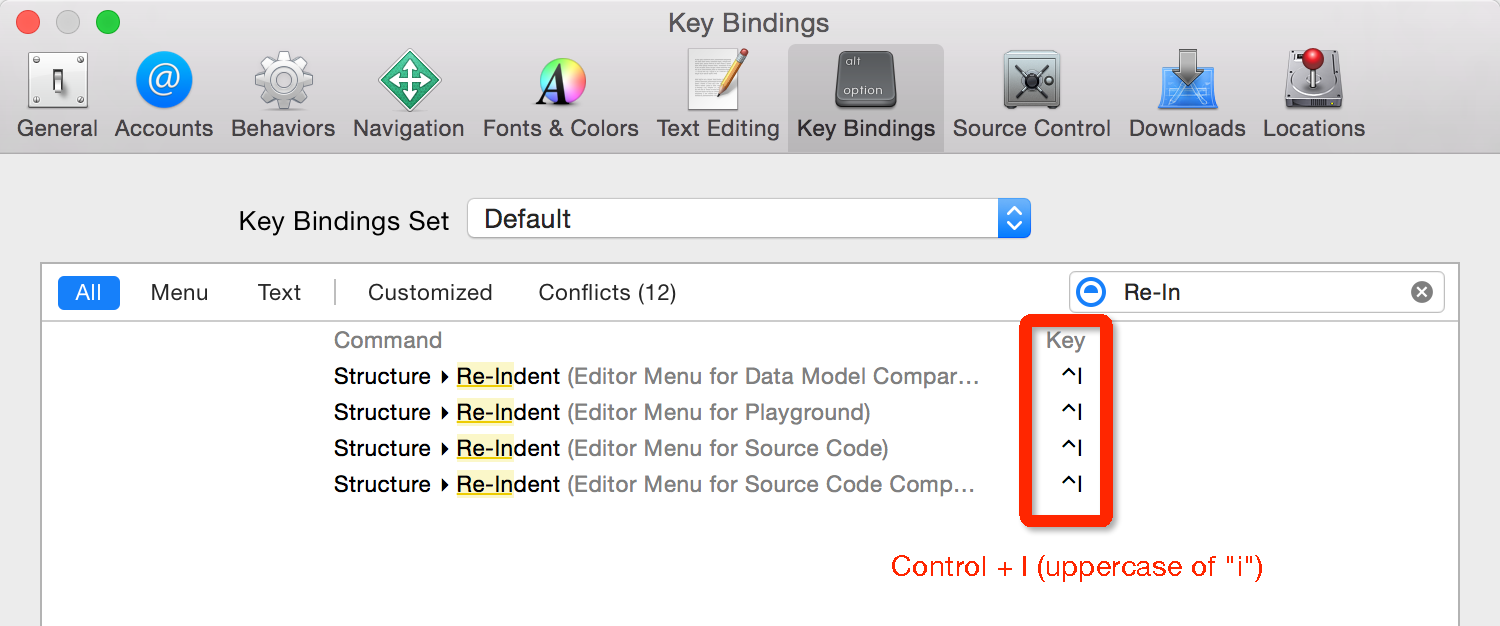
If you find that press Shift+Command+\ does nothing.
Please ensure that the shortcut key setting of Re-Intent is default.
Getter replacer
In fact, this feature can be implemented with location placeholders. But I am not willing to delete the old feature.
You need add your own common syntax to the getter replacer.
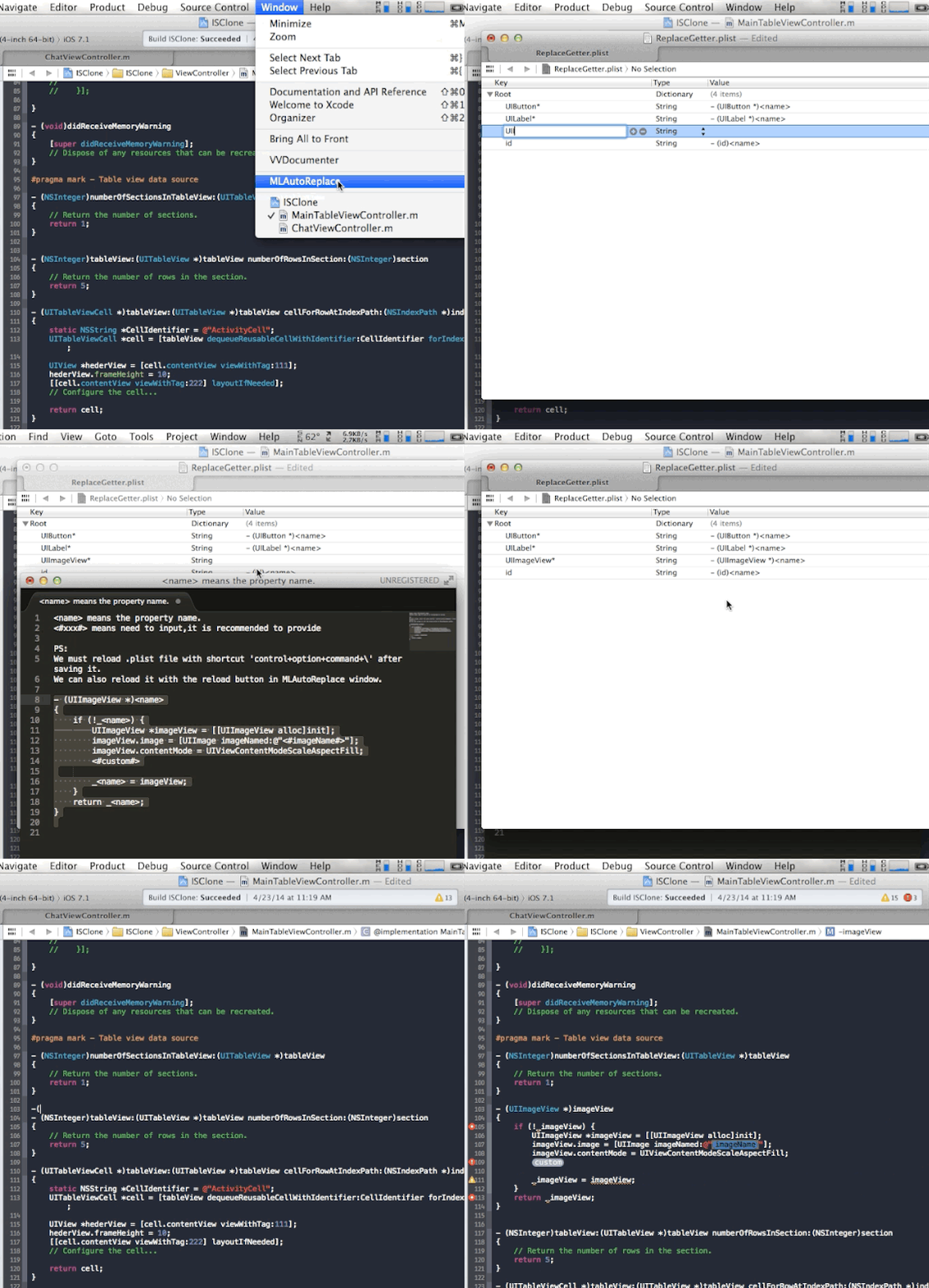
<name> means the property name.
<#xxx#> means where need to input in,it is recommended to provide.
Exmple:
- (UIImageView *)<name>
{
    if (!_<name>) {
        UIImageView *imageView = [[UIImageView alloc]init];
        imageView.image = [UIImage imageNamed:@"<#imageName#>"];
        imageView.contentMode = UIViewContentModeScaleAspectFill;
        <#custom#>

        _<name> = imageView;
    }
    return _<name>;
}
You must reload .plist file with shortcut control+option+command+\ after editing and saving it.
You can also reload it with the Reload .plist Data button in MLAutoReplace window.
How to use:
- (UIImageView *)xxx///
Dont forget /// please. :)

