
#QuickFind
QuickFind is a Xcode plugin to help you find/search something more conveniently and makes your CMD + F more powerful, in QuickFind's world, CMD + F = (CMD + E) + (CMD + G) and CMD + F = (CMD + G)
###Before:
When you want to find something in source code, you may select some text first, and press CMD + E, then press CMD + G to find next.
###Now using QuickFind:
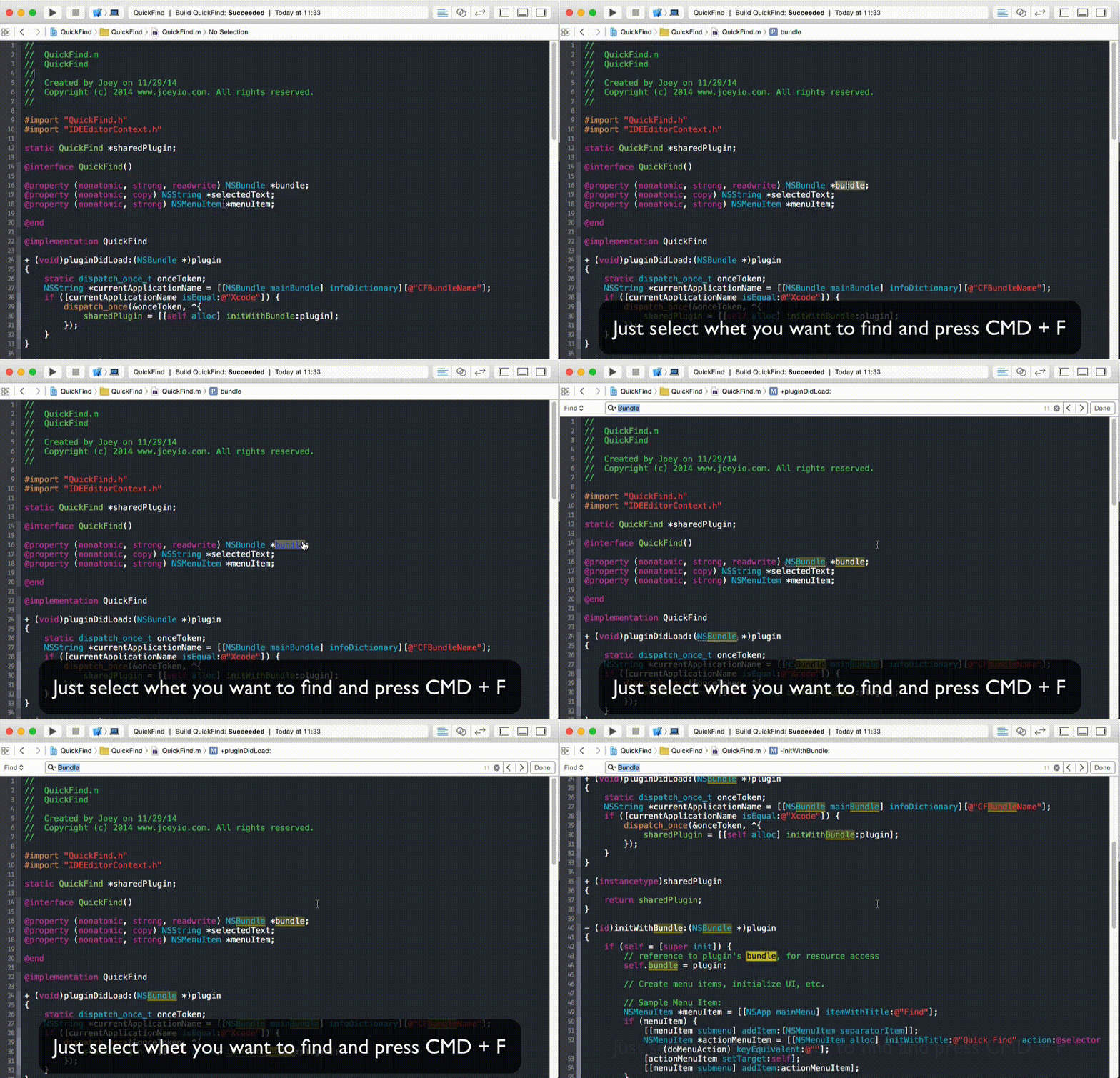
Now with QuickFind, you just need to select something, and press CMD + F, QuickFind will open the find bar, put what you selected in the find bar and start to find the next one. You can also press CMD + F again and again to find the next one (just forget CMD + E and CMD + G, you may only need CMD + F ), just like this:
#Install and configuration 3 steps:
-
Install QuickFind. Install QuickFind in Alcatraz (recommend), or open up your terminal and paste this:
curl -fsSL https://raw.githubusercontent.com/qiaoxueshi/QuickFind/master/install.sh | shOf course you also can clone this project, and build your own.
-
Remove defualt Find shortcut. Open
Xcode-Preferences-Key Binding, remove Shortcut of 'Find' (default is CMD + F) -
Add shortcut for QuickFind. Open
System Preferences-KeyBoard-Shortcuts-App Shortcuts, add a shortcut for Qucick Find like this: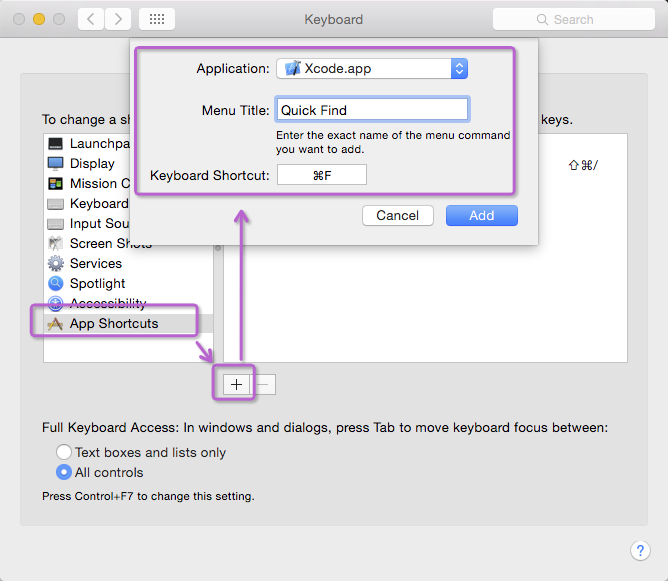
When you open
Findmenu again, you will see:
Done, enjoy~

